How To Use Guide

How to Use MondayTool Tools

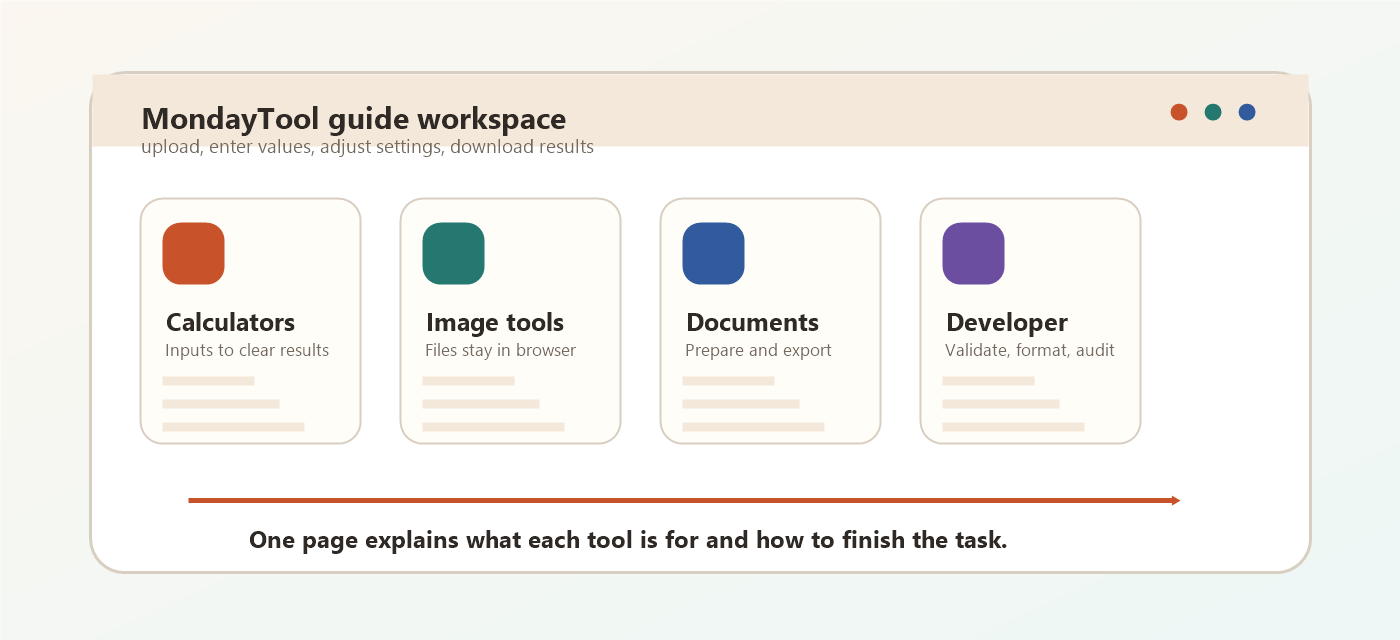
Use this guide to understand what each MondayTool tool is for, what information you need before opening it, and what kind of result you can expect.

Most tools follow the same simple flow: open the tool, enter text, numbers, files, or URLs, adjust any settings, then copy or download the result. File tools are designed to work in the browser whenever possible.

MondayTool guide workspace showing calculator, image, document, and developer workflows

Pick a Category

Jump to the type of task you want to finish. Each category includes a short workflow image, setup advice, and detailed notes for every tool.

Calculator workflow showing inputs, formulas, and a finished result
SUM

Calculators

Calculator tools are built for quick, repeatable answers. Enter the required numbers once, review the result immediately, then adjust the values if you want to compare another scenario.

Basic workflow

1

Choose the calculator that matches your question.

2

Enter the required values and optional settings.

3

Review the answer, breakdown, or table shown by the tool.

View this category on the homepage
%

Percentage Calculator

Open tool

Calculate percentages, increases, and decreases

Best for

Calculate percentages, increases, and decreases.

How to use

Choose the percentage calculation you need, enter the values, and read the instant result.

What you get

A clear percentage answer for discounts, increases, decreases, and comparisons.
AG

Age Calculator

Open tool

Exact age in years, months, and days

Best for

Exact age in years, months, and days.

How to use

Enter a birth date or target date, then use the result breakdown for exact years, months, weeks, and days.

What you get

A precise age breakdown you can use for forms, records, dates, or planning.

BM

BMI Calculator

Open tool

Body Mass Index with metric and imperial modes

Best for

Body Mass Index with metric and imperial modes.

How to use

Select metric or imperial units, enter height and weight, and check the BMI category shown below.

What you get

A BMI value with the matching weight category based on the units you choose.

LN

Loan Calculator

Open tool

Monthly payments, interest, and totals

Best for

Monthly payments, interest, and totals.

How to use

Enter loan amount, interest rate, and term to estimate the monthly payment and total interest.

What you get

Monthly payment, total interest, and repayment details for the loan scenario.

DT

Date Difference

Open tool

Days, weeks, and months between dates

Best for

Days, weeks, and months between dates.

How to use

Pick the start and end dates to see the exact gap in days, weeks, months, and years.

What you get

The exact time gap between two dates in multiple useful units.

UC

Unit Converter

Open tool

Length, weight, volume, and temperature

Best for

Length, weight, volume, and temperature.

How to use

Choose a unit type, select the from and to units, then enter the value to convert instantly.

What you get

Converted values across common measurement systems without manual formulas.

CG

CGPA Calculator

Open tool

Weighted GPA and CGPA for multiple country grading systems

Best for

Weighted GPA and CGPA for multiple country grading systems.

How to use

Add subjects or semesters with credits and grades, then review the calculated GPA or CGPA.

What you get

Semester GPA, cumulative CGPA, and grade-scale calculations.

AT

Attendance Calculator

Open tool

See your attendance percentage, safe leaves, and recovery classes

Best for

See your attendance percentage, safe leaves, and recovery classes.

How to use

Enter total classes, attended classes, and the required percentage to see your attendance status.

What you get

Current attendance percentage plus classes needed or safe leaves.

PC

Period Calculator

Open tool

Estimate upcoming periods, ovulation, and fertile dates

Best for

Estimate upcoming periods, ovulation, and fertile dates.

How to use

Enter the last period date and average cycle length to estimate the next dates and fertile window.

What you get

Estimated period dates, ovulation date, and fertile window ranges.

IH

In-Hand Salary Calculator

Open tool

Estimate take-home pay after tax and monthly deductions

Best for

Estimate take-home pay after tax and monthly deductions.

How to use

Fill in salary, deductions, and tax settings to estimate your monthly take-home amount.

What you get

Estimated take-home salary after taxes and deductions.

EX

Expense Tracker

Open tool

Track spending, monitor a budget, and export PDF reports

Best for

Track spending, monitor a budget, and export PDF reports.

How to use

Add income and expense entries, review the category summary, then export the report if needed.

What you get

A running spending record, category summary, and exportable report.

CD

Countdown Timer

Open tool

Run a local countdown with start, stop, resume, reset, and session history

Best for

Run a local countdown with start, stop, resume, reset, and session history.

How to use

Set hours, minutes, and seconds, then start, pause, resume, or reset the timer as needed.

What you get

A local timer session with controls and recent session history.

VT

VAT Calculator

Open tool

Add or remove VAT using custom rates or country presets

Best for

Add or remove VAT using custom rates or country presets.

How to use

Choose add or remove VAT, enter the price and tax rate, then copy the net and gross totals.

What you get

Net price, VAT amount, and gross price based on your selected rate.

Image editing workflow showing upload, preview controls, and download result
IM

Image Tools

Image tools focus on upload, preview, edit, and export. Most image work happens locally in your browser, which keeps the workflow fast and avoids unnecessary file uploads.

Basic workflow

1

Upload or drag in your image files.

2

Pick the output format, quality, size, or edit setting.

3

Preview the result and download one file or a bulk ZIP where available.

View this category on the homepage
JP

JPG to PNG

Open tool

Convert JPG images to PNG format

Best for

Convert JPG images to PNG format.

How to use

Upload one JPG or enable bulk mode for many files, convert them, then download PNG files or a ZIP.

What you get

PNG output files, with bulk ZIP download when several JPGs are converted.

PJ

PNG to JPG

Open tool

Convert PNG images to JPG format

Best for

Convert PNG images to JPG format.

How to use

Upload PNG files, adjust JPEG quality, convert, then download each JPG or all files as a ZIP.

What you get

JPG output files at your selected quality, including bulk ZIP download.

IR

Image Resizer

Open tool

Resize by pixels or percentage

Best for

Resize by pixels or percentage.

How to use

Upload an image, set new dimensions or scale percentage, preview the size, and download the resized file.

What you get

A resized image with the exact dimensions or scale you selected.

IC

Image Compressor

Open tool

Reduce file size while preserving quality

Best for

Reduce file size while preserving quality.

How to use

Upload one or more images, choose quality, compress them, then download the compressed JPG files.

What you get

Smaller JPG files with before and after file size details.

CR

Image Cropper

Open tool

Crop a chosen region and export the result

Best for

Crop a chosen region and export the result.

How to use

Upload an image, set the crop area, generate the crop, and download the selected region.

What you get

A cropped image containing only the area you selected.

MR

Image Metadata Remover

Open tool

Strip common EXIF and location metadata

Best for

Strip common EXIF and location metadata.

How to use

Upload an image, let the tool redraw a clean copy, then download the version without common metadata.

What you get

A clean image copy with common hidden metadata removed.

RF

Image Rotator and Flip

Open tool

Rotate left or right and flip images fast

Best for

Rotate left or right and flip images fast.

How to use

Upload an image, choose rotation or flip controls, apply the change, and download the edited PNG.

What you get

A rotated or mirrored image ready to download.

FC

Image Format Converter

Open tool

Convert to PNG, JPG, or WebP with selectable output

Best for

Convert to PNG, JPG, or WebP with selectable output.

How to use

Upload an image, choose the target format and quality, then convert and download the new file.

What you get

A new image file in PNG, JPG, or WebP format.

PK

Color Picker from Image

Open tool

Click any part of an image to get HEX and RGB

Best for

Click any part of an image to get HEX and RGB.

How to use

Upload an image and click a pixel to copy or reference its HEX, RGB, and related color values.

What you get

HEX, RGB, and color values sampled from the image pixel you click.

MG

Image Merger

Open tool

Combine two images side by side or as an overlay

Best for

Combine two images side by side or as an overlay.

How to use

Upload two images, choose merge direction or overlay settings, then export the combined PNG.

What you get

One combined PNG built from two source images.

II

Image Preview and Info

Open tool

Preview dimensions, size, and aspect ratio

Best for

Preview dimensions, size, and aspect ratio.

How to use

Upload an image to inspect its dimensions, file size, aspect ratio, and preview before using it elsewhere.

What you get

Image dimensions, file size, aspect ratio, and preview details.

BG

Transparent Background Remover

Open tool

Remove a simple background color and export PNG

Best for

Remove a simple background color and export PNG.

How to use

Upload an image with a plain background, tune the removal settings, and download a transparent PNG.

What you get

A transparent PNG when the original image has a simple background.

DU

Image to Data URL

Open tool

Convert an uploaded image into a Base64 data URL

Best for

Convert an uploaded image into a Base64 data URL.

How to use

Upload an image, generate the Base64 data URL, then copy it for HTML, CSS, or JavaScript.

What you get

A Base64 data URL for embedding the image directly in code.

SC

Screenshot-like Tool

Open tool

Draw quick screenshot-style mockups on canvas

Best for

Draw quick screenshot-style mockups on canvas.

How to use

Open the canvas, draw or mark up your content, then download the result as a PNG.

What you get

A downloadable PNG from your canvas sketch or markup.

PX

Pixelate Image

Open tool

Apply a pixelation effect for censoring or style

Best for

Apply a pixelation effect for censoring or style.

How to use

Upload an image, choose pixel block strength, apply the effect, and download the pixelated image.

What you get

A pixelated image for privacy masking or a blocky visual effect.

AD

Image Adjustments

Open tool

Tune brightness, contrast, and a simple sharpness boost

Best for

Tune brightness, contrast, and a simple sharpness boost.

How to use

Upload an image, move the adjustment sliders, preview the changes, and download the edited output.

What you get

An adjusted image with your chosen brightness, contrast, saturation, hue, or sharpness.

Document workflow showing pages, invoice fields, and file export
DC

Document Tools

Document tools help prepare practical files such as invoices, PDFs, and Word documents. Add or upload the source content, review the generated output, and download a usable document.

Basic workflow

1

Choose the document task you need.

2

Enter details or upload the source file.

3

Review the output and export the finished PDF, DOCX, or report.

View this category on the homepage
IN

Invoice Generator

Open tool

Create customizable invoices with logo, currency, line items, totals, and extra text

Best for

Create customizable invoices with logo, currency, line items, totals, and extra text.

How to use

Enter business and client details, add line items and taxes, then download the invoice as a PDF.

What you get

A professional invoice PDF with your business details, items, and totals.

DW

PDF and Word Converter

Open tool

Convert PDF to Word or Word to PDF with local downloads

Best for

Convert PDF to Word or Word to PDF with local downloads.

How to use

Choose a conversion mode, upload the document, wait for processing, and download the converted file.

What you get

A converted document file, depending on the PDF to Word or Word to PDF mode.

CW

PDF and Word Compressor

Open tool

Compress PDF and DOCX files with safe or strong compression modes

Best for

Compress PDF and DOCX files with safe or strong compression modes.

How to use

Upload a PDF or DOCX file, choose Preserve Layout or Strong Compression, then download the smaller document.

What you get

A compressed PDF or DOCX file with before and after file size details.

Text workflow showing pasted content, generated QR code, and copy result
TX

Text Tools

Text tools are made for copy-and-paste tasks: count, convert, generate, preview, and copy the finished result. They work best when you need a clean output quickly.

Basic workflow

1

Paste or type the source text, URL, or color value.

2

Choose the conversion, generation, or formatting option.

3

Copy, download, or reuse the generated result.

View this category on the homepage
WC

Word Counter

Open tool

Words, characters, sentences, and paragraphs

Best for

Words, characters, sentences, and paragraphs.

How to use

Paste or type text to see word count, character count, sentence count, and reading time update instantly.

What you get

Live word, character, sentence, paragraph, and reading-time counts.

TC

Text Case Converter

Open tool

Upper, lower, title, and sentence case

Best for

Upper, lower, title, and sentence case.

How to use

Paste text, choose the case style you need, then copy the converted result.

What you get

Converted text in the case style you selected.

QR

QR Code Generator

Open tool

Generate QR codes from text or URLs

Best for

Generate QR codes from text or URLs.

How to use

Enter a URL or text, adjust the QR size if needed, then download the generated PNG.

What you get

A downloadable QR code image for your URL, text, or message.

PW

Password Generator

Open tool

Secure passwords with local crypto generation

Best for

Secure passwords with local crypto generation.

How to use

Choose length and character options, generate a password, then copy it into your password manager.

What you get

A strong generated password that matches your length and character settings.

CC

Color Converter

Open tool

Convert between HEX, RGB, and HSL

Best for

Convert between HEX, RGB, and HSL.

How to use

Enter a color value in one format to see matching HEX, RGB, HSL, and related values.

What you get

Equivalent color codes across HEX, RGB, HSL, and related formats.

CP

Color Palette Generator

Open tool

Build coordinated palettes from one base color

Best for

Build coordinated palettes from one base color.

How to use

Pick a base color, choose a palette type, then copy the generated color codes.

What you get

A coordinated color palette with copy-ready color codes.

FL

FLAMES Calculator

Open tool

Classic name matching with full elimination steps

Best for

Classic name matching with full elimination steps.

How to use

Enter two names, run the calculator, and read the shown FLAMES result and steps.

What you get

A classic FLAMES result with the elimination steps shown.

Developer workflow showing code formatting, validation, and website audit results
DV

Developer Tools

Developer tools help inspect code, URLs, content, and website basics. Paste the input, run the check, and use the formatted output or report in your project workflow.

Basic workflow

1

Paste code, text, URLs, or domain names.

2

Run the formatter, validator, audit, or generator.

3

Copy the output or download the report when the tool provides one.

View this category on the homepage
DA

Domain Authority Checker

Open tool

Check Moz authority, page authority, spam score, and backlink metrics

Best for

Check Moz authority, page authority, spam score, and backlink metrics.

How to use

Enter one domain per line, run the checker, then copy or download the CSV report for comparison.

What you get

Authority metrics and CSV export for one or more domains.

SEO

SEO Audit Tool

Open tool

Audit a website URL for technical SEO, metadata, headings, links, and report exports

Best for

Audit a website URL for technical SEO, metadata, headings, links, and report exports.

How to use

Enter a website URL, run the audit, review the issue summary, and export the report for fixes or sharing.

What you get

A practical SEO report with technical checks, page signals, and export options.

RS

Readability Score

Open tool

Flesch-Kincaid and Coleman-Liau analysis

Best for

Flesch-Kincaid and Coleman-Liau analysis.

How to use

Paste text to calculate readability scores, grade level, sentence stats, and improvement signals.

What you get

Readability scores, grade level estimates, and writing statistics.

JS

JSON Formatter

Open tool

Validate, beautify, and minify JSON

Best for

Validate, beautify, and minify JSON.

How to use

Paste JSON, validate it, then beautify for reading or minify for compact output.

What you get

Validated, beautified, minified, or easier-to-read JSON.

MN

CSS and JS Minifier

Open tool

Remove comments and compress common snippets

Best for

Remove comments and compress common snippets.

How to use

Paste CSS or JavaScript, choose the matching mode, then minify and copy the compressed code.

What you get

Compressed CSS or JavaScript ready to copy into your workflow.

MD

Markdown Previewer

Open tool

Preview markdown and copy generated HTML

Best for

Preview markdown and copy generated HTML.

How to use

Write or paste Markdown, review the live preview, then copy the generated HTML when needed.

What you get

A live Markdown preview and generated HTML output.

DF

Text Diff Checker

Open tool

Compare two text versions line by line

Best for

Compare two text versions line by line.

How to use

Paste the old and new text versions to highlight additions, removals, and unchanged lines.

What you get

A side-by-side view of changed, added, removed, and unchanged text.

64

Base64 Encoder Decoder

Open tool

Convert text to and from Base64

Best for

Convert text to and from Base64.

How to use

Paste text or Base64 content, choose encode or decode, then copy the converted output.

What you get

Encoded Base64 text or decoded plain text.

TN

Test Card Number Generator

Open tool

Create selectable card-type test records for QA and demos

Best for

Create selectable card-type test records for QA and demos.

How to use

Select a card type and generate test card data for UI testing and demos only.

What you get

Test card data for QA forms, demos, and payment UI testing.

RB

Robots.txt Generator

Open tool

Create a clean robots.txt file with crawler rules and sitemap support

Best for

Create a clean robots.txt file with crawler rules and sitemap support.

How to use

Choose crawler rules, add allowed or blocked paths and sitemap URL, then download robots.txt.

What you get

A downloadable robots.txt file with crawler and sitemap rules.

SM

Sitemap Generator

Open tool

Build a valid XML sitemap from your page URLs in seconds

Best for

Build a valid XML sitemap from your page URLs in seconds.

How to use

Enter your site URL or page list, generate the XML sitemap, then download it for your website.

What you get

A valid XML sitemap you can download and submit.